Virtualization

NC QEMU

Build Status

Changes

  • Azure Pipeline to build x86_x64 target QEMU in MSYS2 on Windows
  • Upgraded to Capstone with fixes that allow building in MSYS2.

About

“NC QEMU” is a very lightly augmented and experimental fork of QEMU to build on Azure Pipelines and with Windows Hypervisor Platform (WHPX) support for users who care the most about running the x86_64 target fast. This build only cares about the x86_64 target and other targets are not built.

The output is a zip file with some DLLs and qemu-system-x86_64.exe. This QEMU distribution can be run from a folder by itself. Alternatively, qemu-system-x86_64.exe can be dropped into QEMU for Window’s installation directory at C:\Program Files\qemu, replacing the existing version. Some features like USB network redirection might be missing though.

The pipeline provides a differently compiled QEMU compared to QEMU for Windows’s own build instructions which are cross-compiled on Linux. Notably, NC QEMU is built on a Microsoft-provided copy of Windows in MSYS2 with access to the Windows SDK headers for WHPX distributed by Microsoft. The MingW64 Toolkit which QEMU for Windows is built with has unfortunately currently not reproduced the WHPX headers in a free software manner. Users who want a QEMU for Windows with WHPX support but aren’t licensed nor want to accept the terms of installing the Windows 10 SDK are out of luck.

Another benefit is that this project provides a declaratively made and executable pipeline that builds QEMU for Windows. Fork, setup an Azure Pipeline, and adjust if needed. This can be considered a bit “executable documentation” for building a QEMU x86_64 target of this nature. The build logs are public and can be used as reference. For users having trouble building or configuring their systems to build QEMU, this reproducible setup can be quite useful.

Why QEMU+WHPX for x86_64

Absolutely not exhaustive:

  • Acceleration is great. You can reach near-native speeds with acceleration.
  • WHPX is native to the OS. No foreign kernel drivers/modules/extensions needed.
  • It’s great for users who don’t have access to Intel’s HAX because they either want Hyper-V and/or AMD support. With AMD CPUs being multi-core bargain monsters, developers and power users on AMD are becoming more numerous.
  • QEMU+WHPX boots Windows ISOs. HAX currently does not.
  • QEMU is easier to hack on, script, and developed by many organizations, not one. WHPX support was contributed by Microsoft but is probably most useful for Google’s QEMU-based Android emulators!
  • Users hacking on or working with QEMU in Windows can bring their work to Linux KVM accelerated systems easier. And vice-versa.

Packer WHPX workaround

The executables provided here do work for Packer. Simply add the directory with qemu-system-x86_64.exe to the PATH. Packer does not currently recognize whpx as a valid argument for the acceleration key. The workaround is to add it to qemu-args as a manual argument.

Additionally, the cpu argument of QEMU does not support cpu=host for whpx. Specify something supported manually.

References

12:00 am / windows , virtualization , qemu

Running Windows XP using Libvirt inside Ubuntu inside VMWare Fusion

So I’m investigating running Windows XP inside libvirt in Ubuntu on my MacBook for continuous integration testing purposes with Jenkins. I tried for many hours to get it working but Windows would not boot up or it would get stuck on the NTLDR cannot be found issue. As it turns out, I did not enable “Enable hypervisor applications in this virtual machine”. I was under the assumption that I would not need to check that box as I wrongly assumed qemu would handle all the needed machine translation and that an error with bootup is not the fault of lacking the ability to use a CPU feature to emulate something or the disk emulation being borked. With five different ISOs of various pedigrees, I tried installing Windows XP with virt-manager and all of them failed to bootup with various disk image formats like qcow2 or raw. It was only until I checked that checkbox did it then work.

That’s my surprise for today. I really wished I checked that checkbox earlier! It determines if your machine can bootup and only using qemu without kvm will not cut it for booting Windows XP inside libvirt inside Ubuntu inside VMware Fusion.

6:09 pm / ci , jenkins , windows , virtualization

Mount USB devices in Virtualbox-based Vagrant

If you want to mount USB in Virtualbox, you have to do this solution. At the time of this post, a typical Google search for this would go to a solution at advocated using the attachusb command in VboxManage in the Vagrantfile provider customization section. This will not work because the VM is off at the time of bootup. It looks like the original author of this gist did not repost his solution back to the thread.

The solution, in other words, is to use USB filters to automatically connect devices to your VM. USB filters can be added while the machine is powered off. They’ll be applied upon boot or, in this case, vagrant up.

5:03 pm / vagrant , virtualization

My current vagrant setup

I firmly believe that Vagrant is the quickest way from nothing to a running and preconfigured development environment on any machine and especially Macs. For me, the ‘works on my machine’ problem is the biggest reason I run Vagrant. Day-to-day though, Vagrant is probably the easiest to use UI for Virtualbox. If my work actually had money to give me for the VMWare plugin, I believe it would be a better UI for VMWare Fusion as well.

The Basics

This is enough to get started with Vagrant and to reap the rewards.

  1. Virtualbox
  2. Vagrant

That’s great and all, but these are the basics. At the very least, you’ll be able to bring up some boxes that don’t require special plugins up.

Frills

You don’t need these but I do! I usually build my Vagrant boxes with Opscode Chef, a configuration management system. For reference, a Chef cookbook is a series of statements about how a machine should be setup.

Most of these frills are plugins. To build the boxes I make, you’ll usually have to install or use these.

  1. Berkshelf is a dependency resolution manager for Chef. I use Berkshelf as a gem along with the corresponding vagrant plugin. With this, when I run berks cookbook <name>, I can make a Virtual Machine that can be created and destroyed quickly from scratch for whatever purpose. I could do vagrant init but berks cookbook has it beat by creating a directory structure that’s pretty much a Chef cookbook. Even if I don’t intend to redistribute said cookbook, the VM made is perfectly fine for tryout purposes.
  2. I like using the Opscode Bento boxes. They are minimal and they have already been uploaded to S3 on Opscode’s dime. In a Vagrantfile, you can set the box URL for a Vagrant basebox to be downloaded. These boxes are great.
  3. You can’t use the Opscode Bento boxes without the Vagrant Omnibus plugin. Those boxes do not include Chef so you must install Chef at runtime.
  4. Just so you don’t get warnings about the Virtualbox additions being out of date, there’s a Vagrant plugin to automatically update the guest additions if needed. This one is really optional and it’s use just surpresses that warning you get if you bring up a vagrant box with old guest additions.

The Future

In the future, I’ll like to be able to test my boxes to make sure they stay working as the things they pull from the internet change. For this, there’s Test Kitchen.

Unfortunately, it’s still really cutting edge. However, there are guard plugins and this Youtube Video and blog post. That video is very much a must see for anybody who appreciates TDD.

Full integration testing on your own laptop is very attractive to me. I keep mine plugged in and I find it disturbing that the rest of the cores on this MacBook Pro just lie cool.

And also, maybe if I get some cash, I might drop some money on the VMWare plugin and VMWare Fusion. If I want to simulate multiple servers at a time and heavier loads, it would make that much faster.

8:09 pm / vagrant , virtualization

A Windows "QuickStart"

I paid Swish $25 and $8 shipping for this two months ago. I think I had my share donated to the Khan Academy.

The box

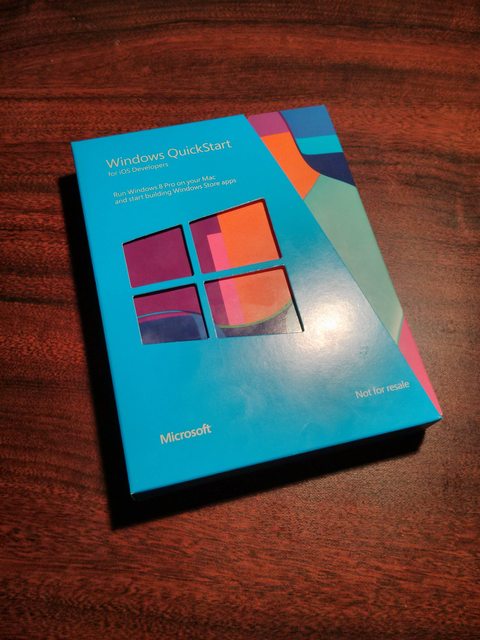
It’s the “Windows Quickstart Kit for Mac Developers”. It includes:

  • A full Windows 8 Pro license
  • A Parallels Desktop license
  • A USB Stick with an ISO on it with a real Microsoft Certificate of Authenticity. Genuine Windows!

I’m not sure why Microsoft saw fit to spend two months packaging a “quickstart”. Why Microsoft did not see fit to provide this quickstart through digital distribution is beyond me. They could have emailed a link to some keys and ISOs and maybe even let a distributor like Digital River do this. Instead, they saw fit to contract this work out to a physical media distribution company. It seems with these charity-ware deals that the best way to donate money is to allocate a large chunk to some physical distributor.

I’m so stoked to try and develop for Windows Phone. I’m going to virtualize Windows 8 and develop a native app for a platform on which I have no way to run natively. I’m also going to jump over some chairs in celebration.

Nuh uh, virtualization is cheating and is really anti-dogfood. If I have to boot up a RAM hungry OS to RUN the app, it’s a failure. If I have to develop the app inside a virtualized OS, that would be even more of a failure since I would have to bear with the performance and non-nativeness penalty. There’s no way a good app can come out with so many barriers like that. Google realized that its Eclipse toolkit was a problem and switched to IntelliJ IDEA to reduce their barriers and gain an awesome IDE in the meantime. I highly doubt Microsoft will provide a free cross-platform and light SDK. The technical barriers are just too high. It’s totally not like their Xbox where game developers are used to putting up with shit like that. Mobile developers are in general more finicky and prefer native tools. I’m not sure if this is still the case now but the Android team saw fit at one point to maintain the Android compilation toolchain for the entire OS on OS X. You can compile a Linux system on OS X!

With that said, this cool cardboard box is all that remains. It would be well designed if it never existed. It’s way too late for that though.

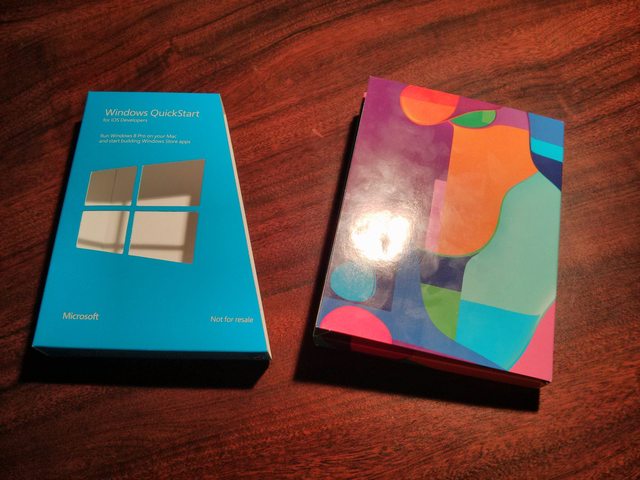
It’s made up of two big pieces. After ripping off the plastic wrapper, there’s a windows logo cutout sleeve thing to keep the box with a flap closed. It’s a pretty retail package for something that is only sold online.

two pieces

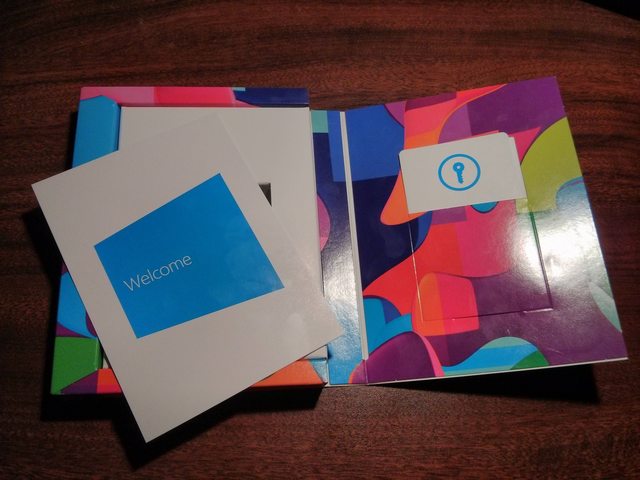
When you open the box, you have a welcome card with some very basic instructions on the back on the left and some coupon card things on the right.

open box

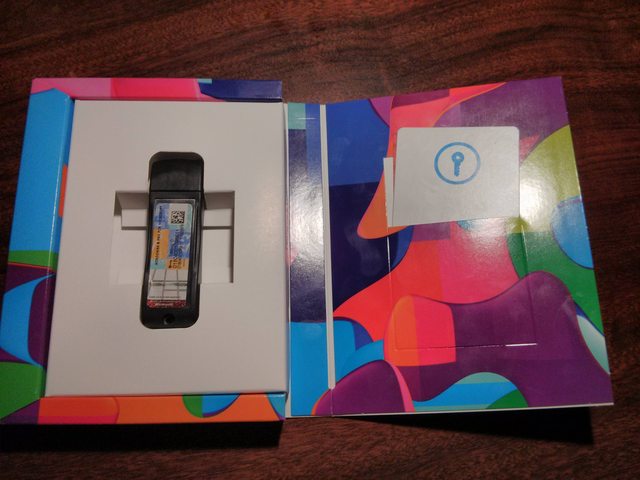
Beneath the welcome card is a USB drive. It has a Microsoft certificate of authenticity on it, so you know its real and has real Microsoft binary bits. There’s also a tracking ID on it too. The Microsoft logo is embedded in plastic on the back and not some cheap printer job. It’s certainly done with style to make the USB drive seem to be actually worth something.

beneath the card

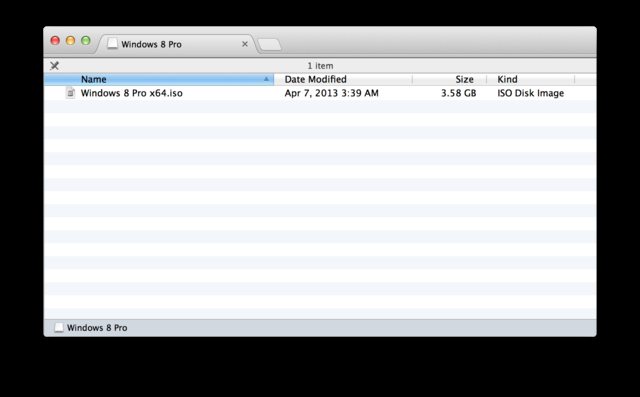
On the USB Drive is just an ISO. There are no other files The drive itself isn’t bootable. It is formatted with NTFS though. At the very least, it’s readable on all platforms. It also enumerates as a device of the name Windows 8 Pro in system profiler. Quite a Matroska doll. I guess having an ISO is easier than mounting a USB drive in a virtual machine in terms of instructional material.

drive contents

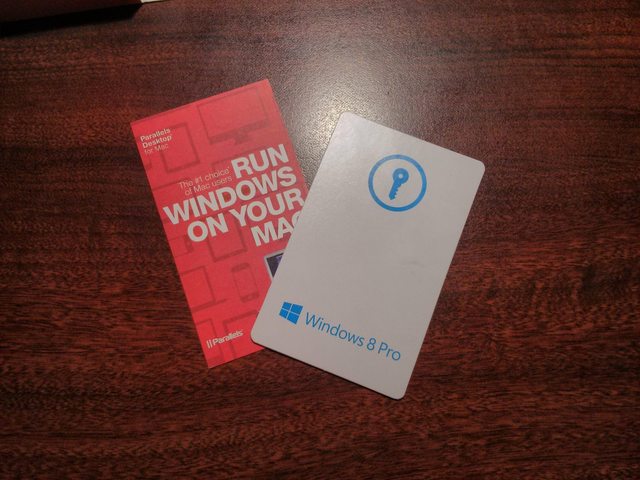
The cards on the right had keys on them. They’re business card sized and feel like them too.

key cards

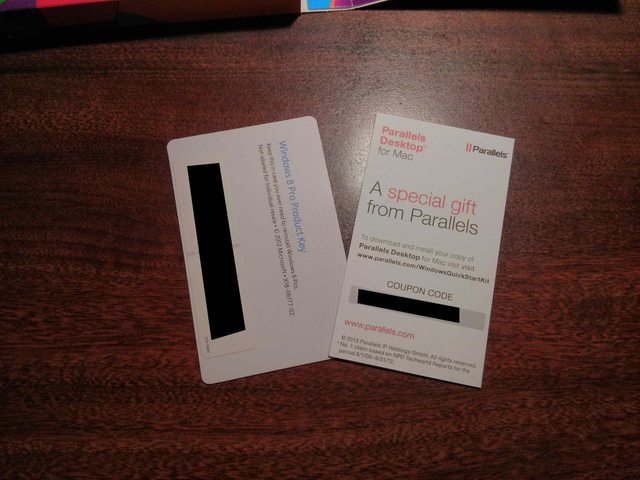
On the back were some keys. Why they felt the need to kill all these trees and grow soy beans to produce the ink for printing on said dead tree material to wrap around these numbers is beyond me.

key codes

It took two months for these two alphanumeric strings to get here. The lack of timeliness on delivering these two codes and an ISO does not look well for Microsoft’s Windows efforts at all. It would take 30 minutes to illegally obtain these materials. 30 minutes is far less than two months. Oh, I almost forgot, they don’t even include Parallels in the package. You will have to go download that from Parallel’s site. What a “quickstart” indeed.

8:33 pm / windows , virtualization